Back to blog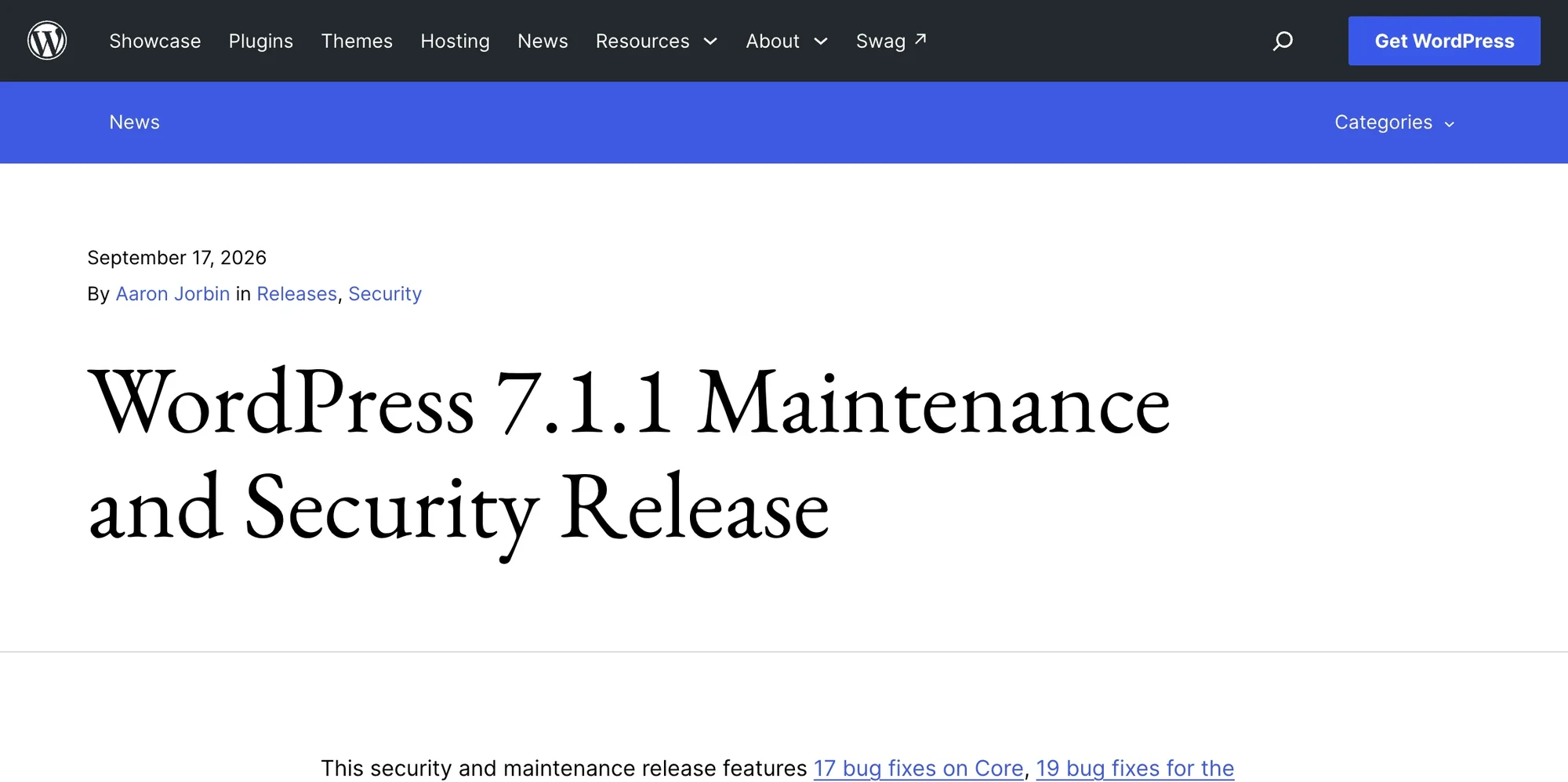
WordPress 7.1.1 Is a Security Release: What the 11 Fixes Mean for Your Site
WordPress 7.1.1 fixes 11 vulnerabilities, including an unauthenticated comment XSS. Which fixes affect your site and how to confirm you're patched.
WordPress 7.1.1 shipped on September 17, 2026, and it is not the quiet bug-fix release everyone had planned for. On top of the 7.1 regression fixes that were public for a week as a release candidate, the final build carries 11 security fixes, ranging from an unauthenticated stored cross-site scripting bug in comments to a flaw that let Contributor-level users overwrite posts they don't own. The WordPress project recommends updating immediately, and the same fixes were pushed back to every older branch still receiving security updates, all the way to 4.7.
If you read our preview of the 7.1.1 maintenance release, the advice there still holds, but the stakes changed on release day. This article covers what the security half of WordPress 7.1.1 actually fixes, which kinds of sites each fix matters to, which version you should be on if you're not on 7.1, and how to confirm that a site really updated instead of assuming it did.
TL;DR
- WordPress 7.1.1 (September 17, 2026) is a security and maintenance release. The official announcement lists 11 security fixes, 17 Core bug fixes, and 19 Block Editor fixes. Update now.
- The most broadly relevant fix is CVE-2026-93485, a stored XSS reachable by an unauthenticated visitor through a comment, rated CVSS 7.1 (High). Any site with comments open should treat this as urgent.
- Several fixes matter mainly to multi-author sites, membership sites, and stores with customer accounts: a Contributor+ arbitrary post overwrite, a Contributor+ draft slug leak, and a comment reparenting bug any logged-in user could trigger.
- Not on 7.1? Fixed versions exist for every branch back to 4.7 (for example 7.0.5, 6.9.8, 6.8.9). Only 7.1.1 is actively supported.
- The security fixes were not in RC1. If you tested the release candidate on staging, you tested the bug fixes but not the code the security patches changed.
- Minor updates install automatically by default, but Git checkouts, Composer-managed core, disabled cron, and a few
wp-config.phpconstants can silently stop them. Check the version; don't assume it.
What changed between the release candidate and the final release?
The 7.1.1 release candidate went out on September 10, described as a bug-fix-only maintenance release scoped to problems introduced during the 7.1 cycle. Its announcement listed 16 Core tickets and a batch of Gutenberg pull requests. It listed no security fixes. A week later the final release arrived with 11 of them.
That's normal for WordPress. Security fixes are developed privately and land in the release itself, because publishing a patch in a public release candidate would tell attackers exactly where to look before anyone could install the fix. The side effect is easy to miss: if you did the responsible thing and tested RC1 on a staging copy, your test did not include the code the security patches touched. A clean RC1 run is still useful evidence, but it isn't a full test of 7.1.1.
The good news is that the security changes are narrow. The list of revised files on the WordPress.org release notes page names 13 files, and they line up with the security fixes rather than the bug fixes. They cluster in a handful of areas you can smoke-test in a few minutes after updating:
| Area touched by the security fixes | What to check after updating |
|---|---|
| Comment formatting and the REST comments endpoint | Post a test comment, reply to it, approve it, check it renders |
| Custom header images (classic themes that support them) | Open the Customizer, confirm the header image still saves and displays |
| Theme install and preview screens | Open Appearance > Themes and preview an installed theme |
| Block templates (Site Editor) | Open the Site Editor, load and save a template |
| XML-RPC | If anything posts via XML-RPC, confirm it still works |
| Media attachment details | Open an attachment's edit screen |
| Plugin activation (multisite) | Activate a plugin as a site admin and as a network admin |
| The HTML API tag processor | If your code uses the HTML API to modify text, run its tests |
If all of that behaves, you've covered the part of 7.1.1 that RC testing couldn't.
The 11 security fixes, grouped by who is exposed
The WordPress announcement lists each fix in a single line, which is enough for the security team's purposes and not quite enough for a site owner deciding how worried to be. The more useful question is who can trigger each bug, because that tells you which sites are really exposed.
| Fix (as described in the release notes) | Who can trigger it | Sites that should care most |
|---|---|---|
Stored XSS through comment paragraph formatting (wpautop()) |
Unauthenticated visitor | Any site with comments open |
| Arbitrary post overwrite | Contributor and above | Multi-author and editorial sites |
| Draft and pending post slug disclosure | Contributor and above | Multi-author sites with unannounced content |
| Comment and note reparenting | Any authenticated user | Sites with open registration, stores, membership sites |
| Authenticated path traversal in the REST templates controller | Authenticated user (role not specified) | Sites with untrusted logged-in users |
| Private parent post title leaked through attachment metadata | Not specified | Sites that use private posts |
XML-RPC can publish customize_changeset posts without the edit_css check |
Authenticated user (role not specified) | Sites with XML-RPC enabled |
| Stored XSS in custom headers on some themes | Not specified | Classic themes with custom header support |
| Crafted URL can install and preview an inactive WordPress.org theme | Not specified | Any site; administrators should be careful with links |
| Site administrator can network-activate a network-only plugin | Site administrator | Multisite networks |
HTML API set_modifiable_text() can break out of an HTML comment |
Depends on the calling code | Plugins and themes that use the HTML API |
Where the table says "not specified," that's deliberate. The release notes don't give preconditions for those issues, and guessing at them would be worse than admitting the gap.
Sites with comments open: CVE-2026-93485
This is the fix with the lowest barrier to entry. wpautop() is the function that turns line breaks in text into paragraph markup, and WordPress runs comment text through it before display. The bug let a visitor with no account plant script in a comment that would then run in the browsers of people viewing it.
The release notes describe it as subject to comment approval, which sounds reassuring. The CVE record, assigned by Patchstack and published on September 18, is less reassuring: it says the issue reproduces on a default installation because manual comment moderation is off by default, and because the "comment author must have a previously approved comment" safeguard can be bypassed. The record rates it 7.1 (High) with the vector AV:N/AC:L/PR:N/UI:R/S:C/C:L/I:L/A:L, meaning network-reachable, low complexity, no privileges needed, and requiring someone to view the payload.
What makes stored XSS in comments worse than it looks is who views comments. Visitors do, but so do moderators and administrators, and a script running in an administrator's logged-in browser can act with that administrator's permissions. That's the path from "a comment" to "a new admin account."
When this was written, CVE-2026-93485 was the only one of the 11 issues with a published CVE identifier, and no public exploitation had been reported. That window tends to be short. WordPress is open source, so the moment 7.1.1 shipped, anyone could compare it with 7.1 and see exactly what changed in formatting.php. Treat the patch as the disclosure.
Multi-author sites, stores, and membership sites
Three of the fixes turn on the idea that logged-in users can be trusted a little, and they matter far more on some sites than others.
The arbitrary post overwrite let a Contributor, the lowest role that can write content, overwrite posts they had no right to edit. Contributors normally can't publish at all, so the practical risk is content integrity: a published page quietly replaced, spam links inserted into a high-ranking post, or legal text altered. If your site gives Contributor accounts to guest writers, freelancers, or a large newsroom, this one deserves a look through recent revisions after you update.
The draft slug disclosure is smaller. It let Contributors see the slugs of draft and pending posts, which can reveal unannounced products, press releases, or acquisitions before they're public. Low severity on paper, occasionally embarrassing in practice.
The comment reparenting bug is the one people will underrate. The release notes say any authenticated user could change which comment a comment belongs to, and that this includes notes, the block editor's collaboration notes, which WordPress stores alongside comments. "Any authenticated user" includes Subscribers, and on WooCommerce stores it includes every customer with an account. On a membership or store site, that could be thousands of accounts able to rearrange discussion threads or editorial notes.
Multisite networks
Multisite gets its own fix: a site administrator could network-activate a plugin marked "Network: true," something only a super admin is supposed to do. On a network where site admins are clients or departments rather than your own team, that's a real boundary. Network-only plugins are often exactly the ones you don't want individual sites switching on.
Themes, the Customizer, and XML-RPC
The custom header XSS affects "some themes" that support custom header images, which in practice means classic themes rather than block themes. Setting a header image normally requires theme-editing rights, so this likely matters most where not every administrator is fully trusted, such as multisite, but the release notes don't spell out the preconditions.
The XML-RPC fix closes a path where XML-RPC could publish a customize_changeset post without checking edit_css, the capability WordPress uses to decide who may add custom CSS. If you don't use XML-RPC for anything, this is a good moment to confirm whether it's still enabled.
The crafted URL theme fix stops a specially built link from installing and previewing an inactive theme from WordPress.org. Details are thin, but it's a reminder that administrators shouldn't open unexpected links while logged in to wp-admin.
The HTML API fix: for developers
The HTML API's set_modifiable_text() could produce output that broke out of an HTML comment when given text containing an abrupt-closing sequence. On its own it's a library bug. Whether it's exploitable depends on the plugin or theme calling it with untrusted input. If you maintain code that uses the HTML API to rewrite text inside comments or similar nodes, update and re-run your tests.
Why some pages say 12 security fixes
The WordPress.org announcement says 11. The HelpHub page for 7.1.1 says 12 in two places, and in one of those places also gives slightly different bug-fix counts (16 and 21 rather than 17 and 19). Both pages list the same 11 named vulnerabilities, and the backport notes on HelpHub describe older branches as affected by "all 11." Go with 11, and don't be surprised if a vulnerability scanner or a news report quotes the other number.
Which version should you be running?
If you're on the 7.1 branch, the answer is 7.1.1. If you're on an older branch, WordPress released a patched version for every branch from 4.7 onward on the same day, and the 7.1.1 release notes list each one as available.
| If you're on | Update to at least | Affected by |
|---|---|---|
| 7.1 | 7.1.1 | 11 of 11 |
| 7.0 | 7.0.5 | 11 of 11 |
| 6.9 | 6.9.8 | 11 of 11 |
| 6.8 | 6.8.9 | 11 of 11 |
| 6.7 | 6.7.8 | 11 of 11 |
| 6.6 | 6.6.8 | 10 of 11 |
| 6.5 | 6.5.11 | 10 of 11 |
| 6.4 | 6.4.11 | 10 of 11 |
| 6.3 | 6.3.11 | 10 of 11 |
| 6.2 | 6.2.12 | 10 of 11 |
| 6.1 | 6.1.13 | 10 of 11 |
| 6.0 | 6.0.15 | 10 of 11 |
| 5.9 | 5.9.17 | 10 of 11 |
| 5.8 | 5.8.16 | 9 of 11 |
| 5.7 | 5.7.18 | 9 of 11 |
| 5.6 | 5.6.20 | 9 of 11 |
| 5.5 | 5.5.21 | 8 of 11 |
| 5.4 | 5.4.22 | 8 of 11 |
| 5.3 | 5.3.24 | 8 of 11 |
| 5.2 | 5.2.27 | 7 of 11 |
| 5.1 | 5.1.25 | 7 of 11 |
| 5.0 | 5.0.28 | 7 of 11 |
| 4.9 | 4.9.32 | 7 of 11 |
| 4.8 | 4.8.31 | 7 of 11 |
| 4.7 | 4.7.36 | 6 of 11 |
| 4.6 or older | No fix. Upgrade. | Not published |
The backports are a courtesy, and WordPress says so plainly: only the latest release is actively supported. Staying on an old branch and relying on backports works until the day a fix can't be backported cleanly, and you won't get much notice when that day comes. If you're still on 7.0 because of a plugin compatibility worry, 7.0.5 buys time, but it's time to spend on moving to 7.1.1, not a reason to stay put.
It's also been a busy stretch for core security. WordPress 7.0.3 and 7.0.4 were both security releases in August (we covered 7.0.4 and CVE-2026-65640 at the time), and the security team has launched a Core Security Initiative after a large rise in incoming reports, much of which it attributes to frontier AI models making code analysis easier. Two of the 7.1.1 issues were reported by Anthropic, and one by the AI pentesting firm pwn.ai with researcher Paulos Yibelo. Whatever you think of that trend, the practical conclusion is the same: expect security releases more often than you used to, and make sure your update path is fast and dull.
Did your site actually update itself?
By default, WordPress installs minor releases like 7.1.1 automatically in the background. Most sites will have updated within hours without anyone touching them. "Most" is doing a lot of work in that sentence, though, and the sites that don't update are often the ones whose owners are most sure they did.
These are the common reasons a site silently stays on 7.1:
AUTOMATIC_UPDATER_DISABLEDis set totrue, which turns off every kind of background update.WP_AUTO_UPDATE_COREis set tofalse, which turns off core updates. The default for normal sites is'minor'.DISALLOW_FILE_MODSis set totrue, often added for hardening. It also blocks WordPress from updating itself.- WordPress sits inside a version-control checkout. If WordPress finds a
.git,.svn,.hg, or.bzrfolder in its directory or any parent directory, it skips automatic updates on the assumption that you manage code another way. Sites deployed from Git can hit this without anyone noticing. - Core is managed by Composer, for example through the
roots/wordpresspackage in a Bedrock-style setup. These setups usually block file changes or live in a Git repository, so background updates generally won't touch core. Someone has to bump the version and deploy. - WP-Cron is disabled with no replacement. Background updates run on WordPress's scheduled task system. If
DISABLE_WP_CRONis set and no real system cron job callswp-cron.php, the update check may never run. - File permissions prevent WordPress from writing to its own files.
The quickest dashboard check is Tools > Site Health. Its background updates test reports whether automatic updates can run and, if not, why. From the command line, you can check the version and the usual blockers directly:
# What version is this site actually running?
wp core version

# Are any of the usual update blockers defined in wp-config.php?
# An error saying the constant is not defined means the default applies.
wp config get WP_AUTO_UPDATE_CORE
wp config get AUTOMATIC_UPDATER_DISABLED
wp config get DISALLOW_FILE_MODS
wp config get DISABLE_WP_CRON

# Is WordPress inside a Git checkout? (run from the WordPress root)
git rev-parse --show-toplevel 2>/dev/null || echo "Not inside a Git checkout"
wp config get only reads wp-config.php. If your setup defines constants in environment files, a must-use plugin, or a framework config, check there too.
For agencies with many sites, WP-CLI aliases make this a one-liner. If you've defined aliases in a wp-cli.yml file, wp @all core version prints the version of every site in the list, which is a faster audit than logging in to each dashboard.
How to update to WordPress 7.1.1 and confirm it worked
For most sites the update itself is a single click or a single command. The steps around it are what make it safe.
Take a backup first. A minor release rarely breaks anything, but "rarely" is not "never," and a restore point taken minutes before the change is the one you'll want. On MagicWP you can trigger an on-demand backup before any change, in addition to the daily off-site backups.
Update core. Use Dashboard > Updates > Update Now, or WP-CLI:
# Check what's available in your current branch
wp core check-update --minor

# Update to the latest release in your current branch only
wp core update --minor
The
--minorflag keeps an older branch on its own backport (7.0.4 goes to 7.0.5, not to 7.1.1). Leave it off when you're ready to move to the latest major version.Run the database updater. Minor releases rarely change the database, and this command does nothing if there's nothing to do, but it's a cheap habit:
wp core update-db
# On multisite, update every site in the network:
wp core update-db --network
Verify the core files. After a security release, confirm the files on disk match the official release. This also catches leftover modified core files from an earlier compromise:
wp core verify-checksumsAny file reported as modified or unexpected in core directories should be investigated, not ignored.
Smoke-test the areas the security fixes touched, using the table near the top of this article. Five minutes on comments, the Customizer, the Site Editor, and media is enough for most sites.
Clear caches if your pages are cached, so visitors get markup from the patched code.
For a site that allows public comments, it's also worth a quick look at recently approved comments, especially from first-time commenters:
wp comment list --status=approve --number=50 --fields=comment_ID,comment_author,comment_date,comment_post_IDBe realistic about what this tells you. The technical details of the comment XSS haven't been published, so there's no reliable signature to search for. A review like this catches the obvious cases; it isn't proof that nothing slipped through.
The bug fixes that make 7.1.1 worth having anyway
Even without the security half, 7.1.1 fixes a few things 7.1 sites have been living with. The RC1 announcement lists the Core tickets and Gutenberg pull requests that made it in. The final counts are slightly different (17 Core fixes rather than the 16 listed at RC1, and 19 Block Editor fixes rather than 21), so the Core Trac milestone for 7.1.1 is the authoritative list. The ones most likely to matter:
- Hook callback keys (Trac #65919). In 7.1, the keys in
WP_Hook::$callbackscould be integers instead of strings, which caused fatal errors in code that passed them to string functions. This was behind the WP Rocket fatal error after the 7.1 update. If you patched around it or pinned an old plugin version, retest after updating. - Multisite user deletion (Trac #66012). In 7.1, the dropdown for reassigning a deleted user's content could be missing on multisite, so deleting a user could silently delete their content too. If you removed users on a 7.1 multisite network, check that their posts still exist and restore from backup if they don't.
- Sitemap on empty sites (Trac #65945). The native sitemap returned a 404 on sites with no published posts. It mostly affects new sites and sites that publish only pages.
- Indexed PNG thumbnails (Trac #65922, Gutenberg #81884). Client-side image processing could produce thumbnails larger than the original for indexed-color PNGs. Regenerate thumbnails if you noticed bloated image sizes.
- Post editor 403 for non-admins (Gutenberg #81813). Users without
manage_optionshit a 403 on the settings endpoint when the editor loaded. - Standalone pages hardening (Gutenberg #82254). Rendering generated standalone pages now requires authentication and a capability check.
If you can't update today
Update today if at all possible. If something genuinely blocks it, such as a change freeze or a site you don't control, these steps reduce exposure in the meantime. They don't replace the update.
Turn on manual comment moderation, or close comments on older posts. This puts a human between an anonymous comment and your pages, which is the path for CVE-2026-93485. It doesn't help if a moderator approves a malicious comment, so moderators should approve only comments they recognize as genuine.
wp option get comment_moderation
wp option update comment_moderation 1
Close open registration if you don't need it, which shrinks the pool of "authenticated users" for the reparenting and path traversal bugs:
wp option get users_can_registerReview Contributor and higher accounts, and remove ones that are no longer needed:
wp user list --role=contributor --fields=ID,user_login,user_registeredTurn off authenticated XML-RPC methods if nothing uses them. The
xmlrpc_enabledfilter controls the XML-RPC methods that require a login, which covers the changeset publishing path. Put this in a must-use plugin. Some tools, including older mobile app setups and some Jetpack features, have relied on XML-RPC, so check before switching it off:<?php // wp-content/mu-plugins/disable-xmlrpc.php add_filter( 'xmlrpc_enabled', '__return_false' );
Important: A web application firewall may block some attack patterns for these bugs, but don't treat that as a patch. Firewall rules target known payloads; the fixed code removes the flaw.
If 7.1.1 breaks something, don't roll back to 7.1
The instinct when an update breaks a site is to restore the backup and move on. With a security release, that restores the 11 vulnerabilities along with the old code, and it does so after the fixes are public. Rolling back to 7.1 in late September is a very different decision from rolling back a feature release.
Fix forward instead. In most cases a post-update problem is a plugin or theme conflict, and the usual process applies: reproduce it on a staging copy, deactivate plugins until it stops, then update or replace the one responsible. If you must restore a backup to get a revenue-critical site working, treat it as a temporary state measured in hours, apply the interim mitigations above while you're on the old version, and update again as soon as the conflict is resolved.
Frequently Asked Questions
Is WordPress 7.1.1 a security release?
Yes. WordPress 7.1.1, released September 17, 2026, is a combined security and maintenance release. The official announcement lists 11 security fixes alongside 17 Core bug fixes and 19 Block Editor fixes, and WordPress recommends updating immediately. It was scheduled as a bug-fix-only release, and the release candidate contained no security fixes, which is normal: WordPress adds security patches at release time so they aren't disclosed before a fix is available.
Do I need to do anything if automatic updates are enabled?
You need to confirm it happened. Minor releases install automatically by default, so most sites updated on their own. But a Git checkout, Composer-managed core, DISALLOW_FILE_MODS, disabled WP-Cron, or file permission problems can stop background updates without any obvious warning. Run wp core version or check Dashboard > Updates. If it doesn't say 7.1.1 (or the patched version for your branch), update manually.
What is CVE-2026-93485?
CVE-2026-93485 is the stored cross-site scripting vulnerability fixed in WordPress 7.1.1, in which an unauthenticated visitor could plant script through comment text processed by wpautop(). The CVE record, assigned by Patchstack, rates it 7.1 (High) and says it reproduces on default installations because manual comment moderation is off by default and the previously-approved-commenter safeguard can be bypassed. Any site with comments open should update.
I'm on WordPress 7.0 or 6.x. Do I have to jump to 7.1.1?
No, not immediately. WordPress released patched versions for every branch back to 4.7 on the same day, including 7.0.5, 6.9.8, 6.8.9, and 6.7.8. Updating within your branch closes the vulnerabilities that affect it. But only the latest release is actively supported, and backports are a courtesy that may not always be possible, so plan the move to 7.1.1 rather than treating the backport as a permanent home.
Why do some sources say 12 security fixes instead of 11?
The WordPress.org HelpHub page for 7.1.1 says 12 security fixes in two places, while the official announcement says 11. Both pages name the same 11 vulnerabilities, and HelpHub's own backport notes refer to "all 11." The discrepancy looks like a documentation inconsistency, not a missing fix. Use 11, and expect some scanners and news reports to quote 12.
Did testing the 7.1.1 release candidate cover the security fixes?
No. RC1, published September 10, contained the bug fixes only. The 11 security fixes arrived with the final release on September 17. If you tested RC1 on staging, that test is still valid for the bug fixes, but spend a few minutes after updating on the areas the security patches touched: comments, custom headers, theme screens, the Site Editor, media, XML-RPC, and multisite plugin activation.
Does 7.1.1 fix the fatal errors some plugins hit after the 7.1 update?
It includes the core fix for the most widely reported one. Trac ticket #65919, where hook callback keys could become integers and break code that treated them as strings, is in the 7.1.1 ticket list. That was the core side of the WP Rocket fatal errors after 7.1. Plugin-specific issues still depend on the plugin, so keep plugins updated and retest anything you worked around.
When is the next WordPress release?
The next major release is WordPress 7.2, currently planned for December 2026. No 7.1.2 maintenance release had been scheduled when this was written. Given how often security releases have shipped this year, don't wait for a schedule: make sure your sites can take a minor update within hours of release, because the next one may arrive with little warning.
Conclusion
WordPress 7.1.1 turned out to be a security release first and a maintenance release second. The comment XSS affects the widest range of sites, the Contributor and "any authenticated user" bugs matter most on sites with lots of accounts, and multisite networks have their own fix to care about. The response is the same for all of them: update to 7.1.1 (or your branch's patched version), confirm the version instead of assuming it, run the checksum check, and spend five minutes testing the areas the security patches changed, since RC testing didn't cover them.
The broader lesson is about speed. Security releases are arriving more often, and the moment one ships, its patch is public. Automatic core updates with rollback, daily off-site backups, and one-click staging are part of MagicWP's managed security, which makes a release like WordPress 7.1.1 a routine event rather than a scramble. Wherever your sites run, the goal is the same: an update path boring enough that you never have to think twice about taking it.
Get the best of MagicWP in your inbox.
Monthly engineering notes, product updates, and WordPress performance tips. No spam, unsubscribe anytime.
Monthly engineering notes and product updates.